Before the first play
You need an iPad with a web browser and an internet connection. The same game also works on phones and computers, so friends can visit from a different kind of device.
Playing requires a Glimmer World Membership for a family with up to 6 kids. A grown-up sets up the account and each child's device. Memberships are available to families in the United States for now.
Start with 7 days free, then $5.99 a month, plus sales tax where it applies. Add a card at signup; the first payment is after the trial, unless you cancel before then on the Family page. It renews monthly until canceled. Friends and the walkie-talkie can be turned on after the first payment.
To start, a grown-up enters their email, agrees to the privacy notice and types the email code. After adding a card on Stripe's secure page, choose a nickname and tap Play. Use the Family page to add more children and devices. Children do not enter an email address or password. On a shared device, each child taps their picture in Who's playing?.
Choose Play now, then begin a world. Builder Flat gives you level ground for a first house; Flower Meadow has hills, flowers and cherry blossom trees.
Build with touch controls
- Choose something to build with. Open the Bag and select a block. Pick Build, then place a small floor before adding walls and windows.
- Make a row. Hold still for a moment, then drag to build a row of blocks. Try this on a short wall so you can see where the row goes.
- Change your mind. Use Undo for the last step. Make a one-room house first, leaving an opening for the entrance before adding the roof.
- Try a furnished home. For a quicker start, choose a Magic House from the Bag, pick a clear spot and tap Build!. Then personalize the furniture and colors.
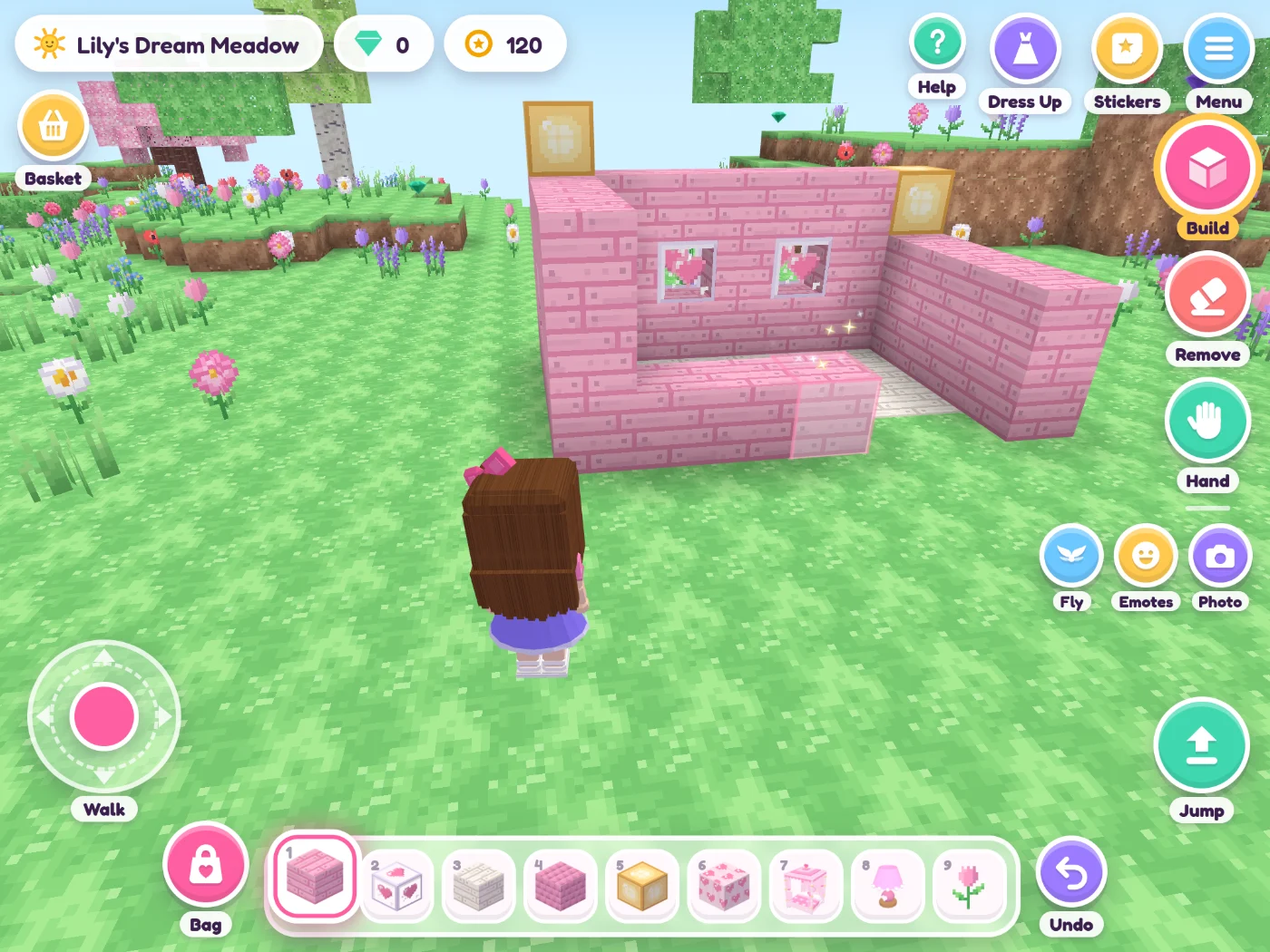
Make the first room yours
Choose two main colors, then start with the biggest piece of furniture: a bed or a sofa. Add a lamp and a small detail such as a bookshelf or a cake in the kitchen. For furniture with color choices, use Pick a color!.
The decorating guide has real game examples, a reading corner and a camper bedroom to try. If your child prefers gentle exploration, see the guide to building without monsters.
Keep playing on another device
With a Glimmer World Membership, worlds are saved on the device and in your family's cloud copy. They can follow your child to another device you have set up. Choose the same child's picture when you continue playing.
You can also keep a world as a file: open My Worlds, then tap Save on the world. On another device, use My Worlds and Open a file to choose it.
A playdate needs one device per player. A friend on a phone or computer can join an iPad host using the four-picture code and host approval. Each family needs a membership when family accounts are required. Follow the playdate setup guide before the first visit.
The game has no ads or in-game purchases. A grown-up controls friend permissions and the optional walkie-talkie; the parent guide explains both.